

The Right Revision. On Every Bench. With the Proof.
X3 Documents keeps every procedure and work instruction at its current revision, shows which written procedures each site is missing, and lets a supervisor sign a change from the floor.
- From $199 a month
- All ten $990 a month
- Free floor reporters

- Trailer cleaning procedure due for its yearly review21 CFR 1.908(e)(6)
- Work instruction Rev C approved from a phone21 CFR 11.50
- Rev D waiting on two approvalsISO 9001 7.5
- Old revision pulled from the machine on Line 2ISO 9001 8.5.1
- Every change logged with who, when and why21 CFR 11.10(e)
- Signature linked to the record it signs21 CFR 11.70
- Transport procedures kept 12 months after last use21 CFR 1.912
- Food safety records kept two years21 CFR 117.315(a)(1)

The Procedure Changed in March. The Copy on the Press Did Not.
Most document control failures happen on the floor: an old work instruction taped to a machine, or a change stuck for a week because the approver never sits at a desk. An auditor finds them in minutes.
Approving a revision is half the job. Getting the old one out of people’s hands is the other half.
Three Things X3 Documents Does for You.
Real screens from the sample company. Open any of them with sample data, no account needed. What you change stays in your browser.
- 01
Every Document at Its Current Revision
Number, revision, owner, status and next review for every controlled document, with its full history.
Open This Screen With Sample Data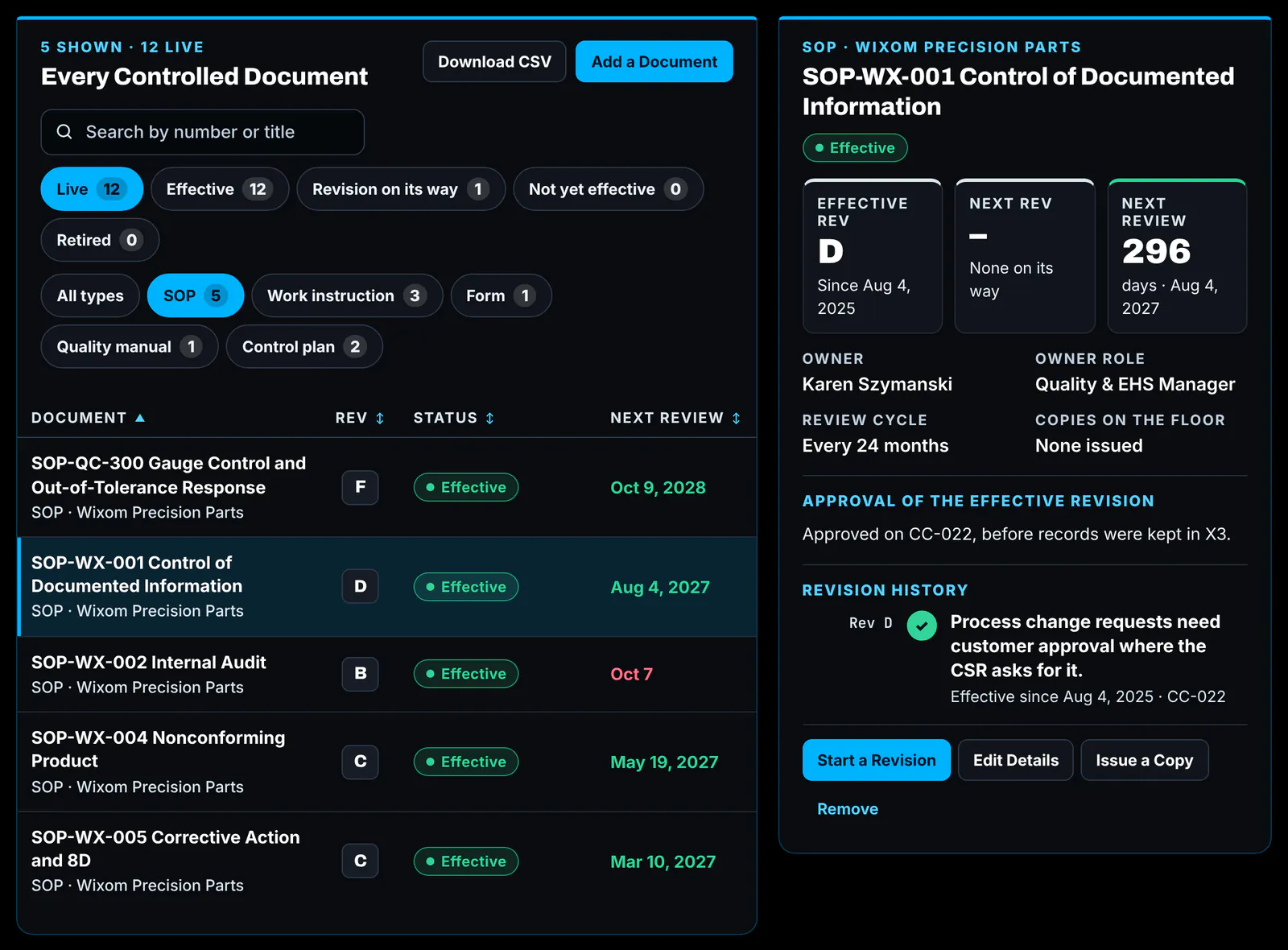
- 02
Change Control With the Impact Worked Out
Raise a change and answer the impact questions on training, validation, suppliers and risk before it goes live.
Open This Screen With Sample Data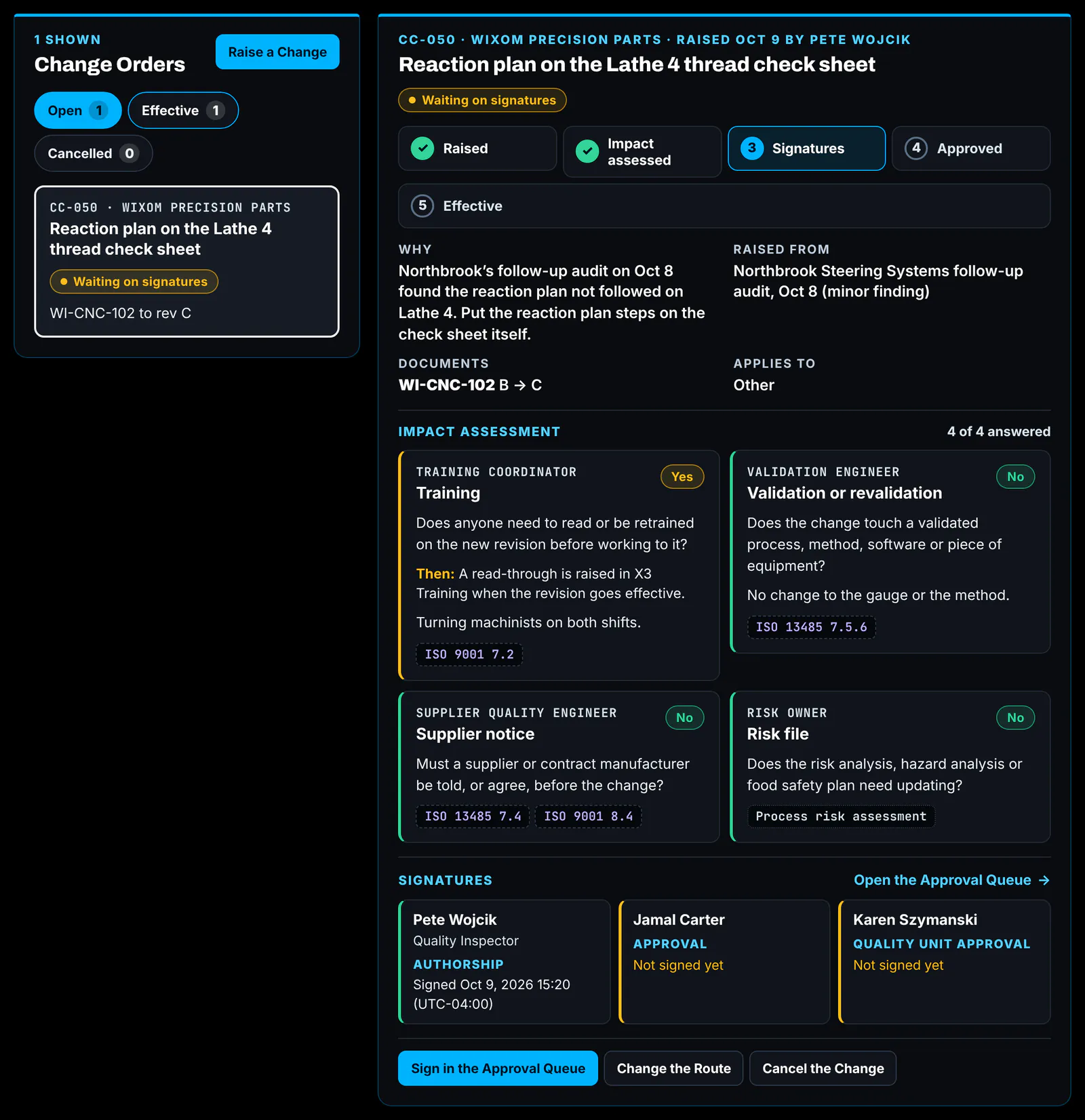
- 03
Sign From Anywhere, With Meaning
Each signature shows the printed name, the date and time, and what the signature means (21 CFR 11.50).
Open This Screen With Sample Data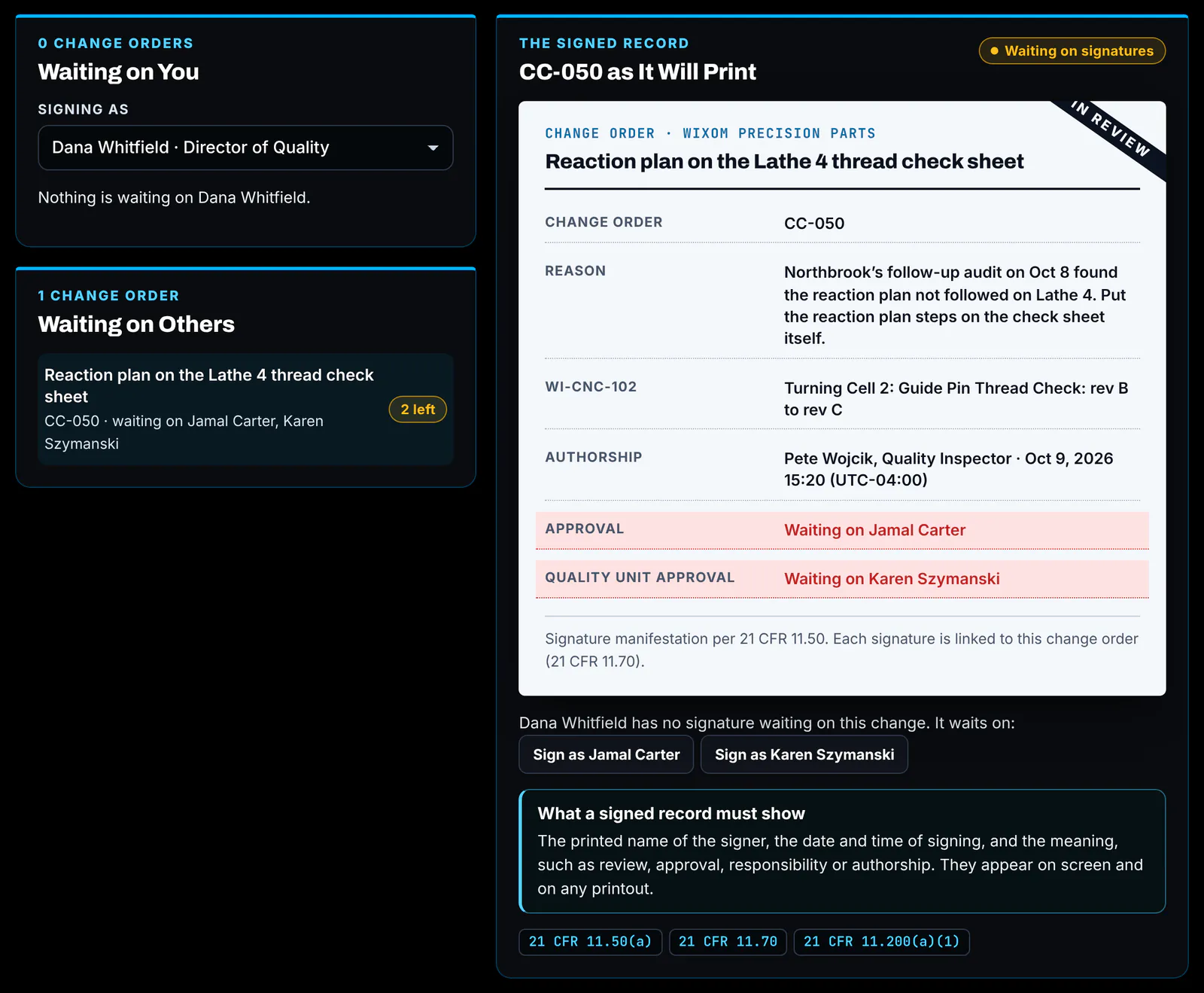


Step 2 of the Quality Loop: Control.
X3 Documents works on its own. When you have the products around it, it hands its work to them.
- 01Know
- 02Control
- 03Source & Measure
- 04Make & Release
- 05Detect & Correct
- 06Prove




One Revision in Use. Every Old Copy Accounted For.
A site that runs X3 Documents can show three things on request.
Current.
Every bench works to the effective revision.
Assessed.
Every change shows what it touched and who decided.
Signed.
Every approval shows a name, a time and a meaning.
Start With One Product. Add the Rest When You Are Ready.
Pay by card, monthly or yearly. A year costs ten months. Cancel any time.
$199 a month covers your first 10 users, then $15 per user after that. Or $1,990 a year.
- Controlled procedures with approved changes, electronic signatures and a training trigger on every revision.
- Works on its own. No other X3 product needed
- Free logins for anyone who only reports problems
Covers your first 15 users with every site and employee included, then $29 a month for each user after that. Or $9,900 a year.
- X3 Documents and the other nine, one sign-in
- Work flows from one product to the next
- Every site and employee included
Prices in US dollars. Over 500 users or 25 sites? Write to [email protected]. Every product’s price.
Questions About X3 Documents.
Have one that is not here? Ask X3, talk to a person, or read how your records are kept on the Trust and Security page.
Does X3 write our procedures?
Can people outside quality approve?
Does X3 Documents make our system Part 11 compliant?
Can we bring in documents already approved on paper?
Do I have to buy the whole family?
How do I get started?
Know Which Revision Every Bench Is Working To.
Create your account and carry one change from draft to the floor.